Your own fonts
Use your own TrueType or OpenType fonts for text and monograms. Fonts are stored in this browser.
Updated November 11, 2026
A TrueType (.ttf) or OpenType (.otf) font you own can be set as embroidery text, like the fonts that come with NextStitch: in Satin (area) along each letter's strokes, as a fill, as a running outline or in cross stitch. Your own fonts come with Pro and Studio, and with the 14-day Pro trial; after the trial the button shows a lock. Embroidery fonts sold as a zip of letter files are added differently — see Your own embroidery fonts.
Add a font
- 1
In Insert ▸ Lettering, open Font, choose Add a TrueType or OpenType font under the font list and pick the font file.
- 2
Tick I may embroider with this font and choose Add font. Nothing is sent before the tick.
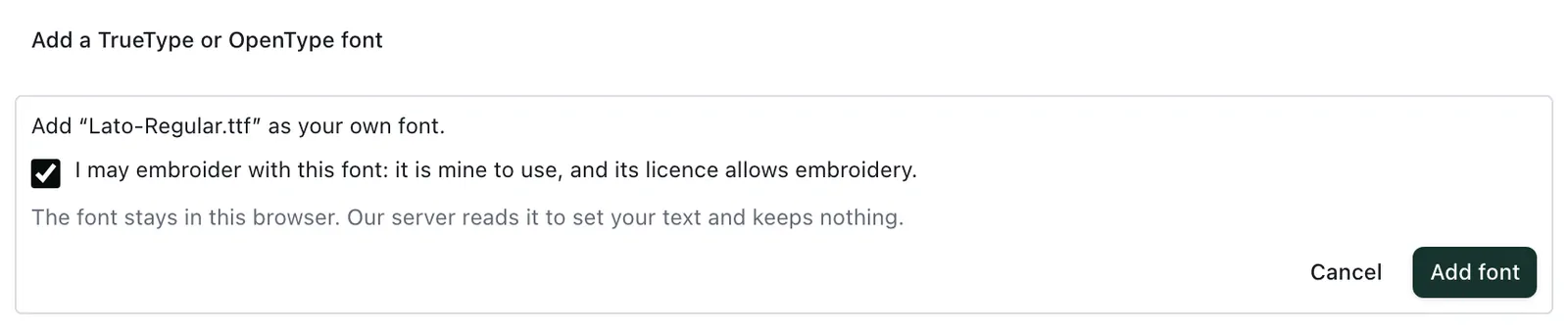
- 3
The font is chosen at once and is listed under Your fonts, the last tab above the list, with your other fonts of your own. Type your text, choose the size and the stitch type, and add it to the design as with any font.

Beside it the list says 5 mm typical: the fonts that come with NextStitch were measured for the smallest capitals they sew cleanly at, a font of your own was not, and 5 mm is what most fonts manage. Thin strokes are widened to sew as satin, as for every text; check small text in the simulator before you sew it.
The licence is yours
Whether a font may be embroidered is up to its licence, and that licence is yours: the tick says you own the font and its licence allows embroidery. Many desktop font licences do; some only allow printing, and some need an extra licence to sell what you embroider. NextStitch reads the font's own licence flags and refuses a font marked Restricted, which may not leave the computer it is installed on.
Where the font lives
The font is kept in this browser only. To set your text, our server reads it, keeps it in its memory while you use it, and never stores it: it is sent once per session, and again if the server has let it go. On another computer, add the font again, or bring it along with a backup (Back up your fonts). A design keeps the letters it was set with and the font's name, never the font itself.
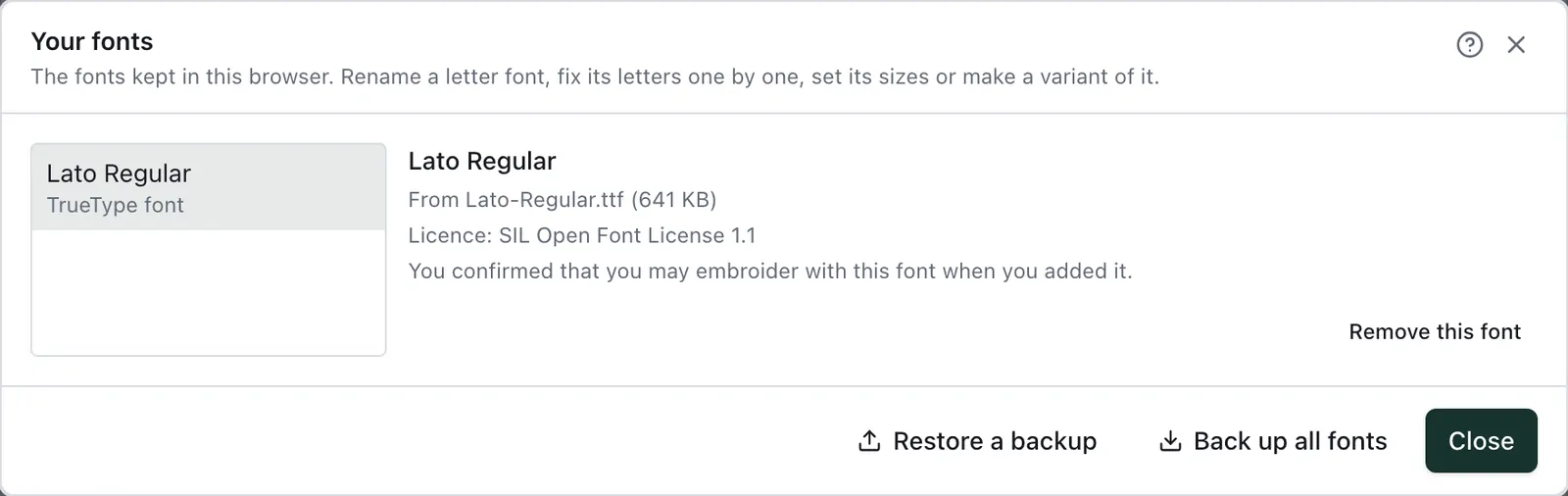
Your fonts, under the font list, shows it with its file and licence, and removes or backs it up. Fixing letters one by one, a capital height, sizes and variants are for embroidery fonts of letter files (Your own embroidery fonts): a TrueType or OpenType font brings its own.
When the font isn't in this browser
A text in a font of yours that this browser doesn't have — a design opened on another computer, a font removed — stays as it is and sews as it is. Select it and the text bar says that the font isn't in this browser and offers only another font. Add the font again, from the same file, and the text can be changed as before.
Monograms and round text
Your fonts are offered in Insert ▸ Monogram, under Your fonts in its font list, and in Insert ▸ Lettering, for Shape ▸ In a circle too, beside the fonts that come with NextStitch.
Font collections (.ttc) and web fonts (.woff, .woff2) can't be read: use the .ttf or .otf file. A font file can be up to 15 MB.