
Set your first text
Open the lettering dialog, type a name, pick a font and add it to your design — it is ready to sew straight away.
Updated October 19, 2026
- 1
Open Lettering. The Lettering… tool in the dock — or Insert ▸ Lettering… — opens the dialog.
- 2
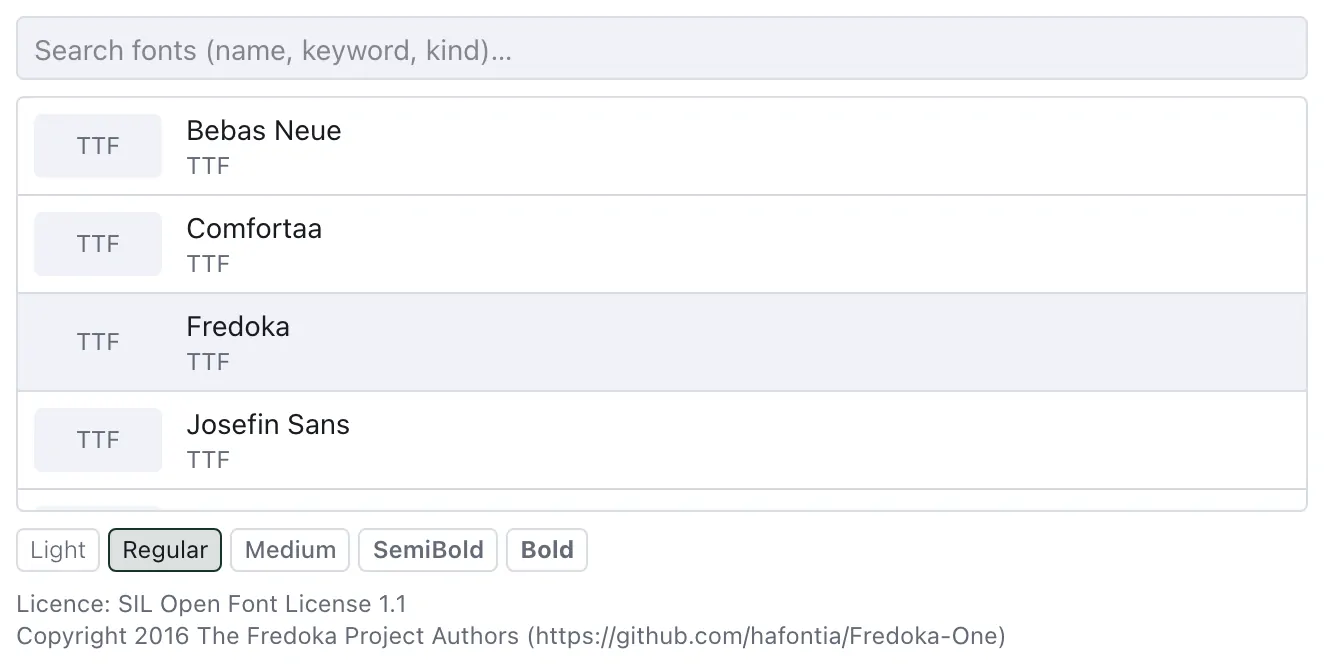
Pick a font and type. Search the list by name, keyword or kind; each font's licence is shown under the list. Type your text into the field — Enter starts a new line.
- 3
Choose the size. For a TrueType font it is the font size in millimetres; capital letters come out at about 70 % of it. Embroidery fonts are scaled in per cent, within the range they were digitised for.
- 4
Add to design. The text arrives selected, and the bar above it sets its height and font. Edit text… in that bar reopens the dialog.
Embroidery fonts are sewn exactly as they were digitised; TrueType fonts are sewn in Satin (area) along each letter's strokes, unless you choose Fill (tatami) or Running outline under Stitch type — see Satin (area).