
Trace a picture
Turn a PNG or JPG logo into shapes you can stitch: the tracer runs on your device and you choose how many colours to keep.
Updated October 12, 2026
Insert ▸ Import bitmap… traces a picture into filled shapes, one for each area of colour. The tracing runs on your device.
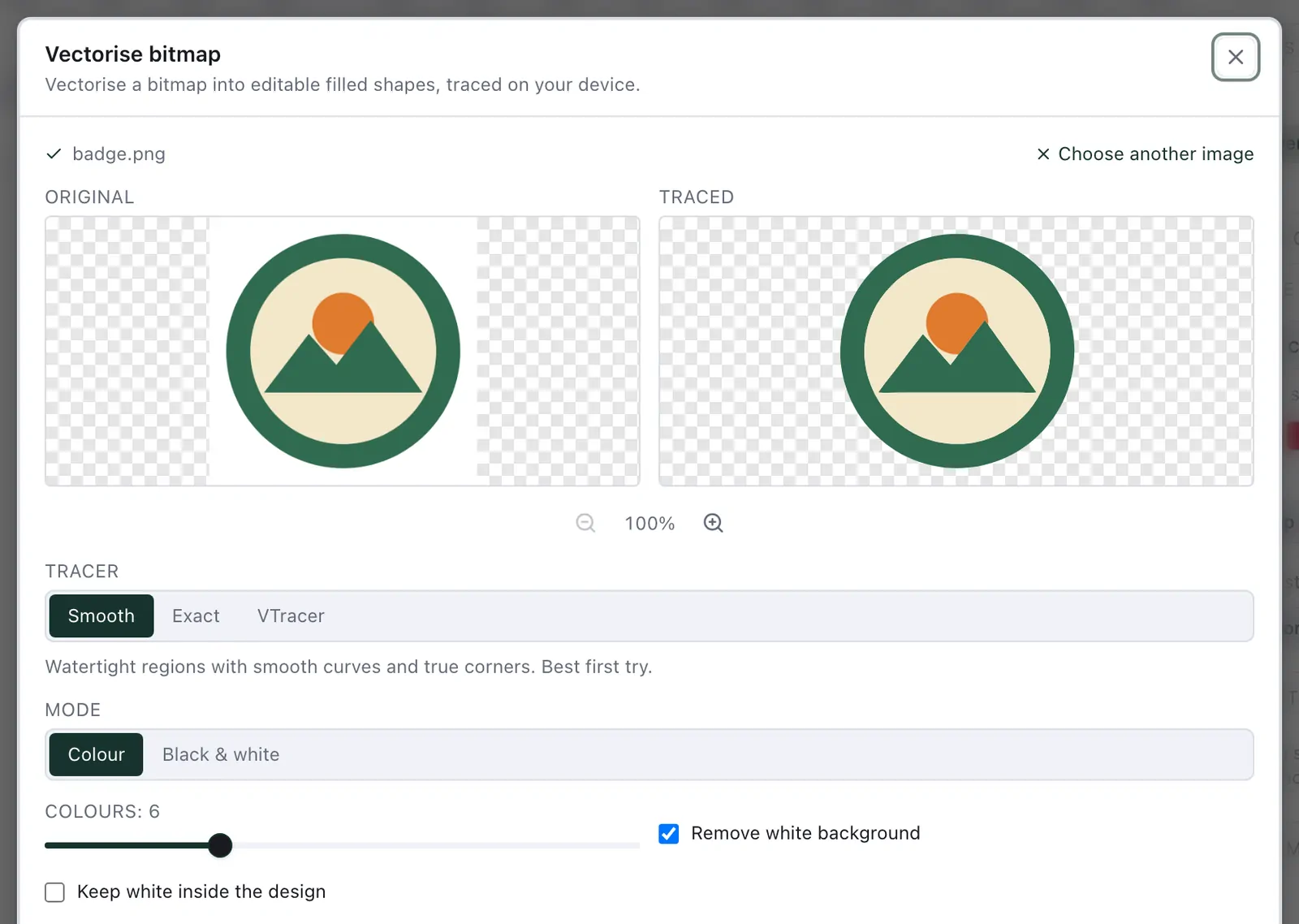
Tracer — Smooth is the best first try: watertight areas with smooth curves and true corners. Exact follows the pixels more closely.
Mode — Colour, or Black & white for line art.
Colours — how many thread colours to keep, from 2 to 16. Fewer is often better: every colour is a thread change.
Remove white background — on at first, so the paper does not become a shape.
Target width — the size in the hoop, in millimetres.
Clean, flat artwork traces best. Afterwards, look at the areas in the Stitch view — and if the artwork you start from is an SVG with stacked shapes, see remove overlaps.