
Draw and colour shapes
Draw an ellipse and a rectangle from the tool dock, give each its own thread, and keep them inside the hoop.
Updated October 12, 2026
The shape tools sit in the dock on the left. A shape you draw takes the active thread and a fill, so it is ready to sew the moment it exists.
- 1
Pick a shape tool. Hover over the dock to see each tool's name and its shortcut — Ellipse is
O.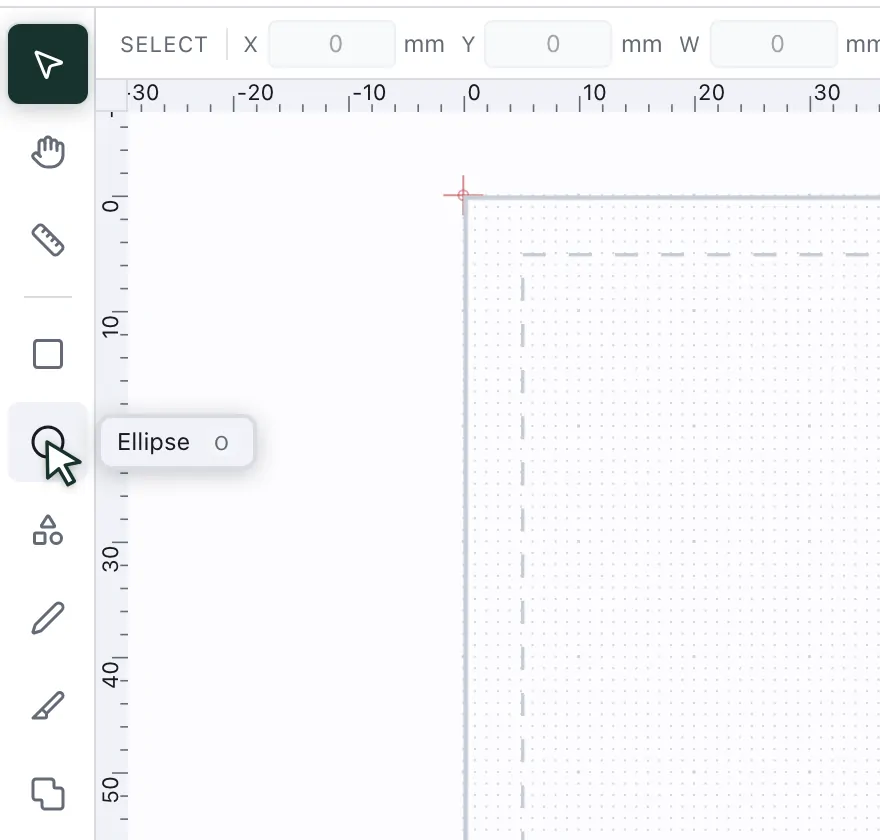
- 2
Drag it out in the hoop. Hold Shift for a circle or a square. The bar above shows the size in millimetres, and you can type exact values there.
- 3
Give each shape a thread. Select a shape and click a colour in the palette on the right — the shape takes it. With nothing selected, the click sets the thread for the next shape you draw.
- 4
Keep it inside the hoop. The solid outline is the sewing field and the dashed line keeps a 5 mm margin. Anything past the outline shows up under Problems.