
Getting started
NextStitch runs in your browser: you design and preview on your own device, then export a file for your machine.
Updated October 31, 2026
NextStitch runs in your browser: you design and preview on your own device. Open the editor to start a blank design, or pick a ready-made one under Designs.
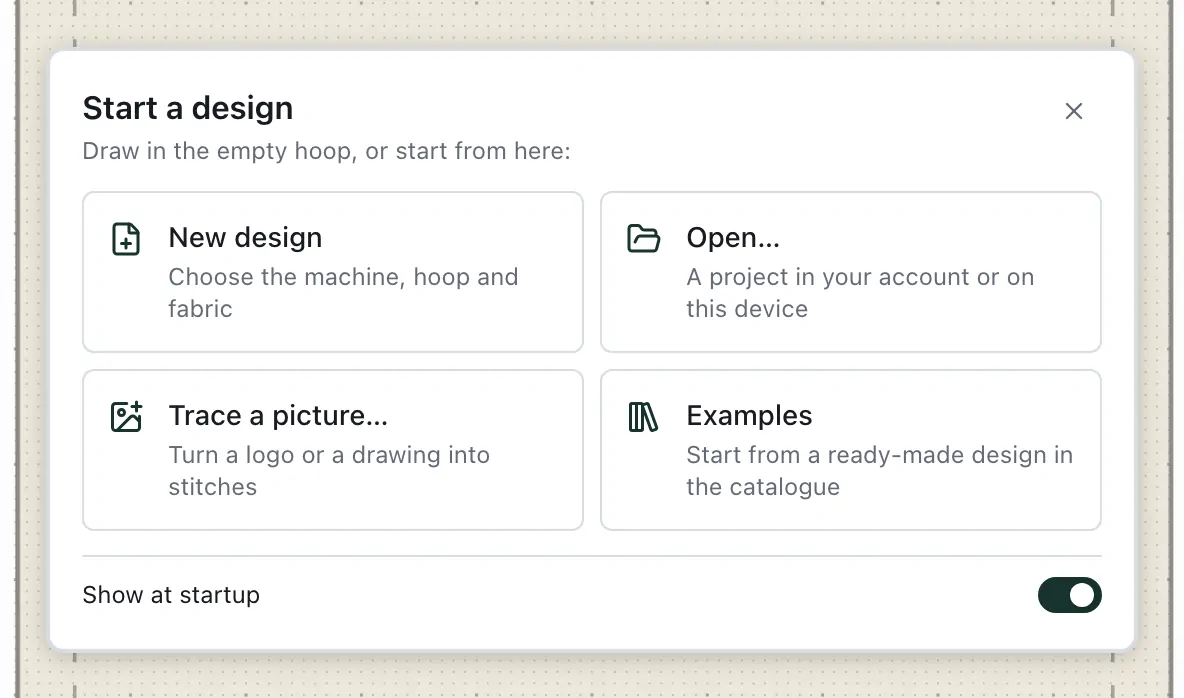
With no design of yours to bring back, the editor opens with a card on the empty hoop: New design to choose the machine, hoop and fabric, Open… for a project in your account or on this device, Trace a picture… to turn a logo or a drawing into stitches, and Examples to start from a ready-made design in the catalogue. Draw round it or close it; it goes as soon as something is on the canvas, and with Show at startup off it stays away. A design you were working on opens again as you left it, without the card.
What a design is made of
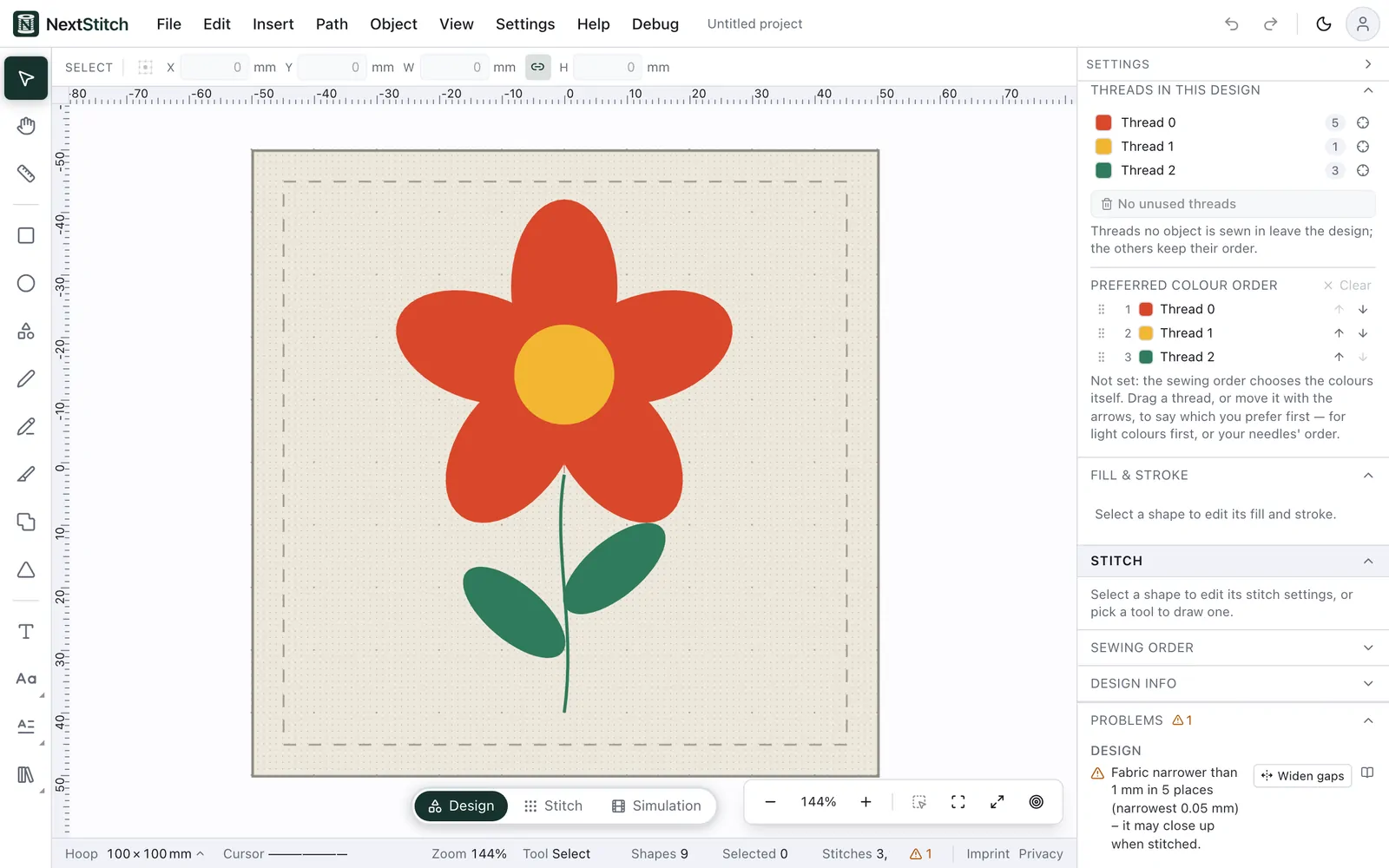
A design is made of vector elements — rectangles, ellipses, polygons, paths and text. Each shape is sewn in one thread with the stitch type you choose, and it can also get an Outline: a border sewn round it in a second thread, round its holes too unless you switch Outline holes off. The solid line is the hoop's sewing field and the dashed line inside it keeps a 5 mm margin. Anything that reaches past the solid line shows up under Problems: Use the … hoop switches to the smallest of your machine's hoops that holds it, and Fit shrinks the design and centres it in the hoop until it fits. An oval hoop is checked, fitted and printed as the oval it is.
Pick a thread in the palette, choose Rectangle, drag it out inside the hoop, then switch to Stitch to see how it will be sewn.
Help while you work
Help in the menu bar opens these guides, the keyboard shortcuts, the frequently asked questions, What's new and the contact page in a new tab, so the editor and your design stay open. Every problem under Problems has a book button, Learn more, that opens the explanation of that problem.
Your designs in My Files
What you save to your account is in My Files, in folders, each design with its picture, its size, stitches and colours — machine files you bought too. Find them by name or by what they sew, tick several to move, download or write out for your machine at once, and get earlier versions back: Projects and files shows how.
What happens on our server
Our server reads the files you import (SVG artwork, machine files, font zips), renders lettering and writes the machine file you export. It keeps a design only when you save it to your account.