
Export your first file
Turn your design into a file your embroidery machine reads: open Export, pick the format and download it.
Updated October 19, 2026
- 1
Open File ▸ Export…. The dialog first tells you how long the design takes to sew and how much bobbin thread it uses.
- 2
Pick your machine's format. File format lists the formats the machine named under Machine: reads, its own first —
.pesfor Brother,.jeffor Janome,.expfor Bernina and so on, each with its full name underneath. With a custom frame, it lists every format we write. Your machine's manual has the last word; most read more than one.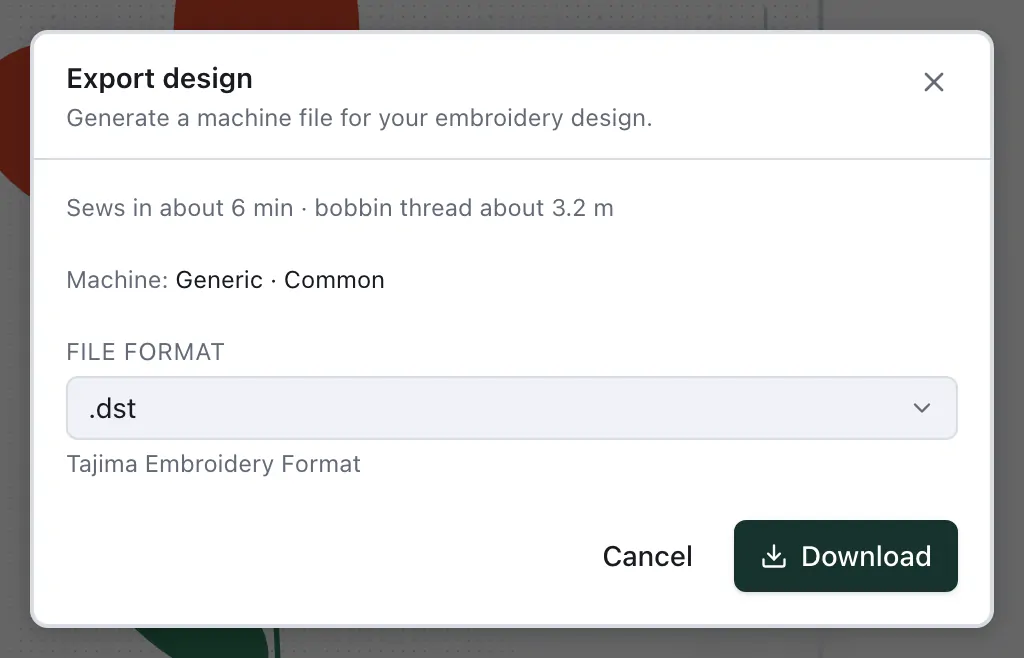
- 3
Download. Downloading needs a free account: signed out, the dialog asks you to sign in, and your design stays open in the editor. Then copy the file to your machine — by USB stick, cable or the maker's app.
On a Brother Skitch PP1, download it as PES and send it to the machine with Brother's Artspira app.
Without opening the editor
On the Designs page and in the Configurator, Stitch now makes the file in one go: choose your machine — on the Designs page also the width and the colours — and download it, no editor needed.