
Free-standing lace
Lace sewn on a wash-away stabiliser alone: choose the fabric, and NextStitch suggests the stabiliser and names every part that would fall out.
Updated October 31, 2026
Free-standing lace is embroidery with no fabric left in it: you sew it on a wash-away stabiliser alone, rinse the stabiliser out, and the stitches are the lace — an ornament, a bookmark, a snowflake for the tree. Nothing but the stitches holds it together, and NextStitch checks that they do.
What holds a lace
Once the stabiliser is gone, a lace holds where its stitches cross and overlap. Every open area needs a net of stitches crossing each other, the satin borders lie on that net, and every part has to touch the rest: a flower's centre sewn on its own, the dot of an i or a motif set a little apart from the frame falls out in the rinse. The underlay matters more than on a fabric — it is the lattice the top stitches lie on — so keep the density full and the underlay on Automatic.
Set up a lace design
In File ▸ New, or in File ▸ Properties… for the design that is open, choose Free-standing lace as the Fabric type, under Sheer / delicate. NextStitch suggests Wash-away as the Stabilizer and gives the lace's own recommendations: full density, the underlay Automatic chooses, every part joined.
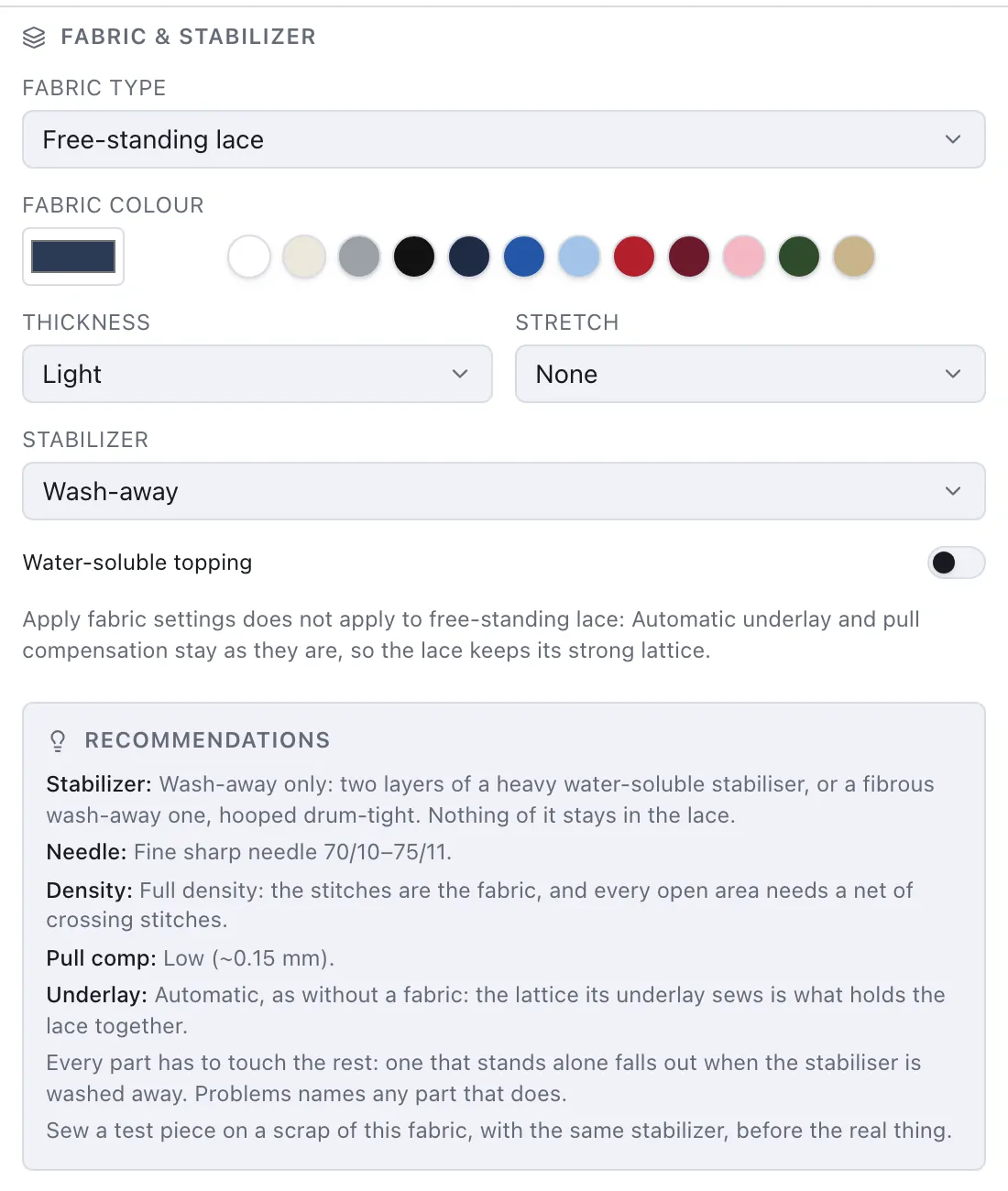
Apply fabric settings is not offered for a lace. A sheer fabric would lighten a satin's underlay, and a lace needs it whole, so the objects keep Automatic as it chooses without a fabric (Fabric and stabiliser). If the design had it switched on for another fabric, it is back when you choose that fabric again.
The check
With Free-standing lace chosen, Problems looks at the stitches for parts that touch nothing else. Every stitch counts as a thread about 0.4 mm wide; two stitches that overlap or touch hold together, while a jump or a trim between them does not — jump threads are cut or wash away. The largest part is the lace, and every other part is a warning that names the object sewing most of it. Click the warning, and the preview marks that part with a box.
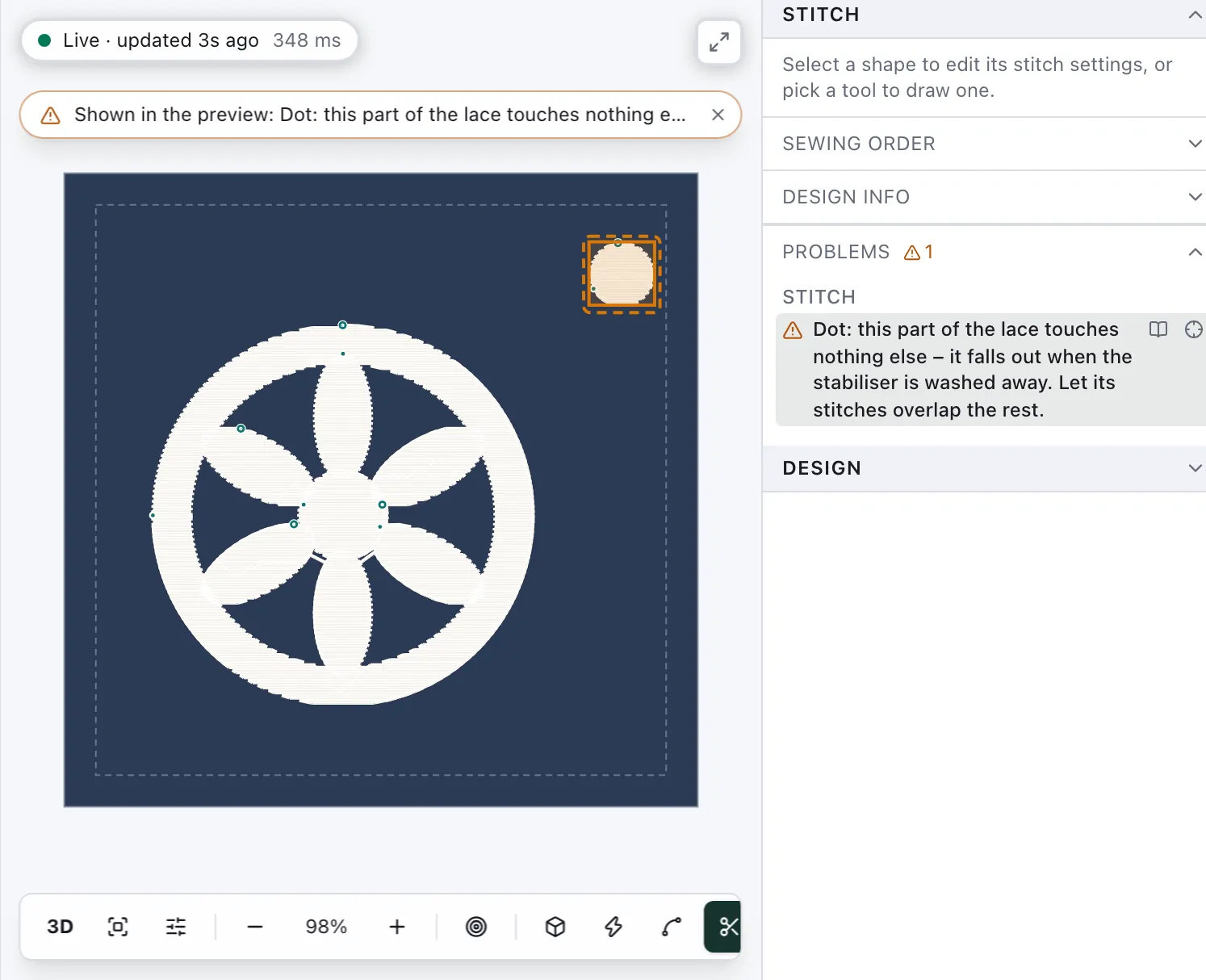
To join a part, let its stitches overlap the rest: move or enlarge it until its edge lies on the satin or fill beside it, or sew a running line or a satin bar across to it. The check reads the stitches, not the shapes, so two shapes that only meet at a point, or overlap where nothing is sewn, are not joined. On any other fabric it does not run — there, separate motifs are simply separate — and like the other warnings it can be switched off under View ▸ Warnings.
Wash-away stabiliser
Hoop two layers of a heavy water-soluble stabiliser — a film, or a fibrous one that looks like fabric — drum-tight, with nothing else in the hoop. Wind the bobbin with the same thread as the top: both sides of a lace show. Sew a test piece first (Fabric and stabiliser). Then cut the lace out with a margin, rinse the stabiliser out in warm water as its maker says, and let the lace dry flat, pinned to its shape.